
How to Track Building Maintenance Cleaning Tasks Like a Pro

The fastest way to track building maintenance cleaning tasks is a short service log that records who did the work, what they did, when, for how much, with photos, and the next-due date, backed by a calendar reminder. That’s the whole system. You don’t need software or a filing cabinet to start.
Do these three things in the next five minutes:
- Write down the date, the contractor’s name, and their phone number.
- Take a photo of the finished work before the crew leaves.
- Set a reminder for the next service date, right now, in whatever calendar you already use.
A copyable template is coming up later in this article, so don’t worry about getting the format perfect today. Just capture the basics.
Key Takeaways
A simple service log with date, contractor, cost, photos, and a next-due date, paired with a calendar reminder, is more effective long term than any complex system you won’t maintain.
| Point | Details |
|---|---|
| Start with the basics | Capture date, contractor contact, a photo, and the next-due date within five minutes of the job finishing. |
| Match the system to your scale | A notebook works for one property; apps or contractor portals matter once you manage several. |
| Set reminders early | Add a calendar reminder two to four weeks before the next-due date, then confirm 48 to 72 hours ahead. |
| Protect payments on larger jobs | Hold back 10 to 15 percent retainage and request a signed lien waiver before final payment. |
| Hire for built-in recordkeeping | E and R Cleaning Solutions provides digital work orders, photos, and next-due dates with every visit. |
Table of Contents
- What Fields Every Service Record Must Capture
- Which System Should You Use to Log Cleaning Jobs?
- How Do You Set a Recurring Cleaning Schedule That Sticks?
- Copyable Service-Record Template You Can Use Today
- Contractor Payment Safeguards: Retainage and Lien Waivers
- How E and R Cleaning Solutions Handles Recordkeeping for Customers
- Hiring E and R Cleaning Solutions: Services That Simplify Tracking and Record Keeping
- Sources
What Fields Every Service Record Must Capture
A skimpy log is worse than no log because it gives you false confidence. A useful maintenance record needs to answer one question months from now: “What happened here, and when does it happen again?” That means certain fields aren’t optional.
Here’s the minimum you need for every cleaning visit:
- Property identifier — address or unit name, especially if you manage more than one site.
- Service type — window cleaning, pressure washing, gutter clearing, whatever it was.
- Exact date — not “spring” or “last month.”
- Contractor name and phone number — so you can reach them without digging through old texts.
- Scope description — specific enough that a stranger could understand what was cleaned.
- Photos — before and after, if possible.
- Invoice number — ties the record to a paper trail.
- Cost — what you actually paid.
- Next service due date — the single most important field for staying ahead of buildup.
Optional but genuinely useful fields include the detergent or chemical used (relevant if you have sensitive plants or surfaces nearby), equipment notes, weather conditions during the job, a signed acceptance from you or your property manager, and any warranty terms the contractor offers.
For the scope line, be specific: “Cleaned all exterior windows, first and second floor, screens removed and rinsed” tells you far more a year later than “windows done.” And keep contractor contact info in the same place as the record itself. A phone number buried in a text thread from eight months ago does nothing for you at 7 a.m. on a Saturday when a pipe bursts near your patio.
Which System Should You Use to Log Cleaning Jobs?
The right system depends on how many properties you manage and how much you hate paperwork. Here’s the honest breakdown.
- Paper binder or notebook: works fine for one property. Zero learning curve, zero cost, and it survives a dead phone battery. The downside: no backup, no search function, and it’s useless if you’re not standing next to it when a contractor calls.
- Spreadsheet template: cheap, flexible, and accessible from your phone if you store it in the cloud. Google Sheets or a similar tool lets you sort by next-due date, which a notebook can’t do. It takes a bit more setup than jotting in a notebook.
- Home-maintenance apps: worth it once you want photos attached to specific jobs. Look for apps that offer recurring reminders, photo storage, and shared access tied to a specific property, so the history lives with the asset instead of scattered across email threads.
- Contractor portals or CRM systems: matter most for commercial accounts, multiple properties, or anyone who needs an audit trail. Field-service platforms used by cleaning companies can generate digital work orders with photos attached automatically, which saves you from having to ask.
Pro Tip: Don’t build a complicated spreadsheet with twenty columns you’ll abandon after two months. A simple log you actually update beats a sophisticated one gathering dust.
How Do You Set a Recurring Cleaning Schedule That Sticks?
Cleaning cadence depends on exposure, not habit. Windows in a coastal or high-pollen area need attention more often than windows in a quiet suburban cul-de-sac. As a general guideline, exterior window cleaning runs quarterly to semiannual, while pressure washing for driveways, siding, and walkways falls somewhere between annual and biannual depending on how much algae, pollen, or road salt the surface takes on. Storefronts in busy foot-traffic areas often need both more frequently.
Once you know your cadence, the workflow is simple:
- Record the completed job in your log, including the date and scope.
- Immediately add the next-due date based on your chosen cadence.
- Set a calendar or app reminder two to four weeks before that date, giving you time to book a contractor without scrambling.
- Confirm the appointment 48 to 72 hours before the scheduled service, especially with weather-dependent work like pressure washing.
Skipped or rescheduled jobs still need documentation. If a storm pushes a pressure-washing appointment back three weeks, note the original date, the reason for the delay, and the new date in the same record. Don’t just delete the old entry. That history matters if you’re ever asked to prove maintenance consistency during a sale or an insurance claim.
If you manage multiple properties, batch-create your recurring events at the start of the year. Set up one calendar entry per property with cadence and contractor notes attached, then link each to a shared, read-only cloud folder for invoices and photos. This keeps everything centralized without needing dedicated software.

Copyable Service-Record Template You Can Use Today
Here’s a template you can paste into a notebook, a spreadsheet, or a notes app right now.
| Field | Example Entry |
|---|---|
| Date | March 2026 |
| Property | Oak Street (rental unit) |
| Service | Exterior window cleaning, all levels |
| Contractor | Mike Torres, phone number |
| Notes | Screens removed and rinsed; one crack noted on second-floor window, tenant notified |
| Cost | $ |
| Next due | September 2026 |
Store photos and invoices in a cloud folder named by property and date, something like “OakSt_2026_03” makes it searchable later. A few naming tips:
- Keep one folder per property, not per job type, so everything for that address lives together.
- Name invoice files with the vendor and date, not just “invoice.pdf.”
- Attach the folder link directly in your log entry if your system allows it.
The next-due field is what actually converts this record into action. When you enter it, immediately set the reminder in the same sitting. That single habit is the difference between a log that works and one that quietly stops mattering after month two.
Contractor Payment Safeguards: Retainage and Lien Waivers
Money disputes usually start with vague terms, not bad faith. Confirm the scope in writing before work begins, and require the contractor to hand over an invoice or signed work order the moment the job wraps.
For anything beyond a routine single-visit job, a 10 to 15 percent retainage held back until a final walkthrough is a standard safeguard, not an insult to the contractor. For larger multi-day projects, tie payments to milestones instead of paying it all upfront.
On bigger jobs, always request a signed lien waiver before releasing final payment, and file it with your invoices.
Quick contract checklist:
- Written scope of work
- Start and completion dates
- Payment schedule with retainage terms
- Signed lien waiver before final payment
- Copy of contractor’s invoice filed with your service record
How E and R Cleaning Solutions Handles Recordkeeping for Customers
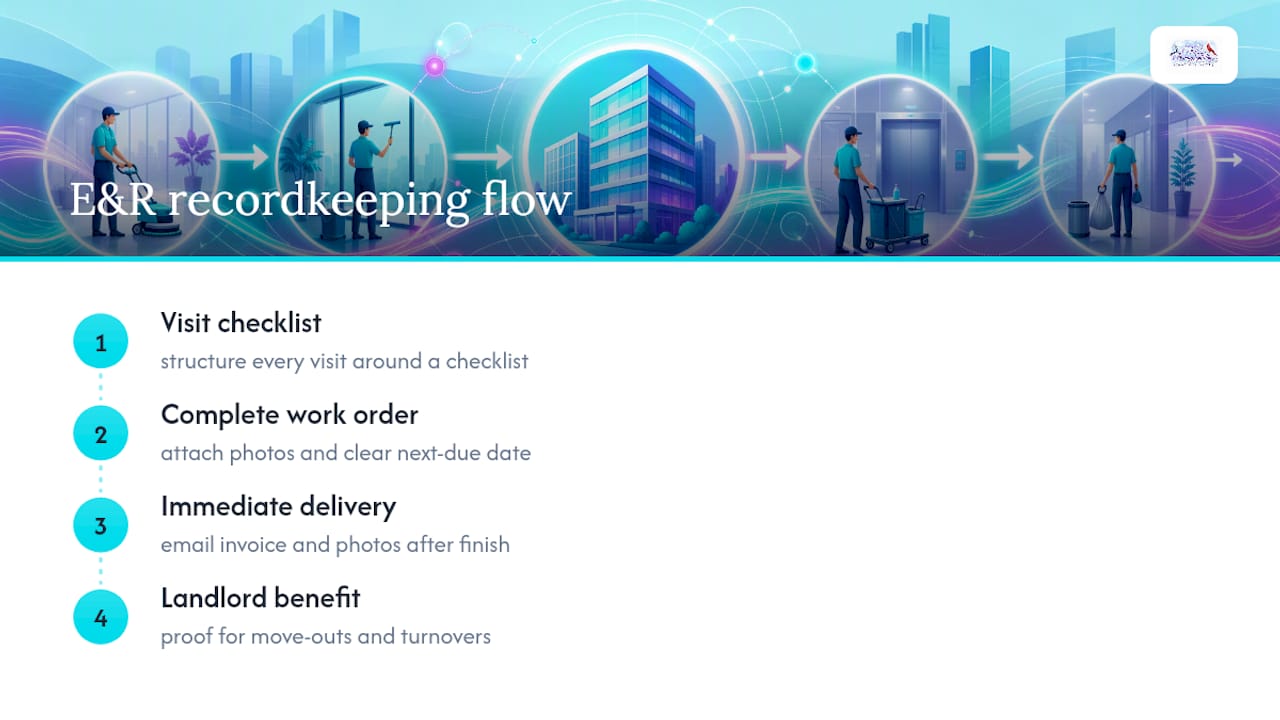
We build every visit around a checklist that ends with photos and a clear next-due date attached to the completed work order. If we’re the contractor on your job, we’ll email the invoice and photos right after we finish, no need to chase us down a week later.
For landlords and property managers, this matters most during move-out inspections or unit turnovers, when you need proof of what was cleaned and when, without digging through old text messages.
Hiring E and R Cleaning Solutions: Services That Simplify Tracking and Record Keeping
Chasing down invoices and photos from a contractor after the job is done wastes time you don’t have. E and R Cleaning Solutions builds that handoff into every visit: digital work orders, before-and-after photos, and a recommended next-due date, sent to you without asking twice.

We offer flexible recurring plans for window cleaning and pressure washing, so your service log stays current without you having to manage the schedule yourself. If you’re weighing your options, our residential window cleaning process page walks through exactly what you’ll receive after each visit, including how we document scope and follow-ups. Ready to put a cleaning schedule on autopilot? Request a quote and we’ll set the first visit and the next-due reminder together.
Sources
- Home Maintenance Log: Track Every Repair, Service Call & Contractor Record
- Maintley — Home maintenance tracker & property memory app
- Smart Service — Window cleaning software features
- Retainage guidance for property owners